THE SYLLABUS QUESTION
What you need to solve
Write a program that shows the binary equivalent of a given positive number between 0 to 255.
One integer in the inclusive range 0–255. Zero is supported because it is explicitly included in the syllabus range.
UNDERSTAND THE IDEA
Explanation
Eight bits can represent all integers from 0 through 255. Read each bit from position 7 down to position 0.
Right-shifting moves the selected bit to the least-significant position; bitwise AND with 1 isolates it. Leading zeros make the eight-bit representation clear.
PLAN BEFORE CODING
Algorithm
- Read and validate the decimal value.
- Visit bit positions 7 down to 0.
- Use (value >> bit) & 1 to extract each bit.
- Print eight bits and a newline.
SEE THE CONTROL FLOW
Flowchart
Follow the arrows from Start. Diamonds ask a question; labeled arrows show the answer. A returning arrow repeats a loop. Function internals are grouped where needed; later input checks follow the rules in the program.
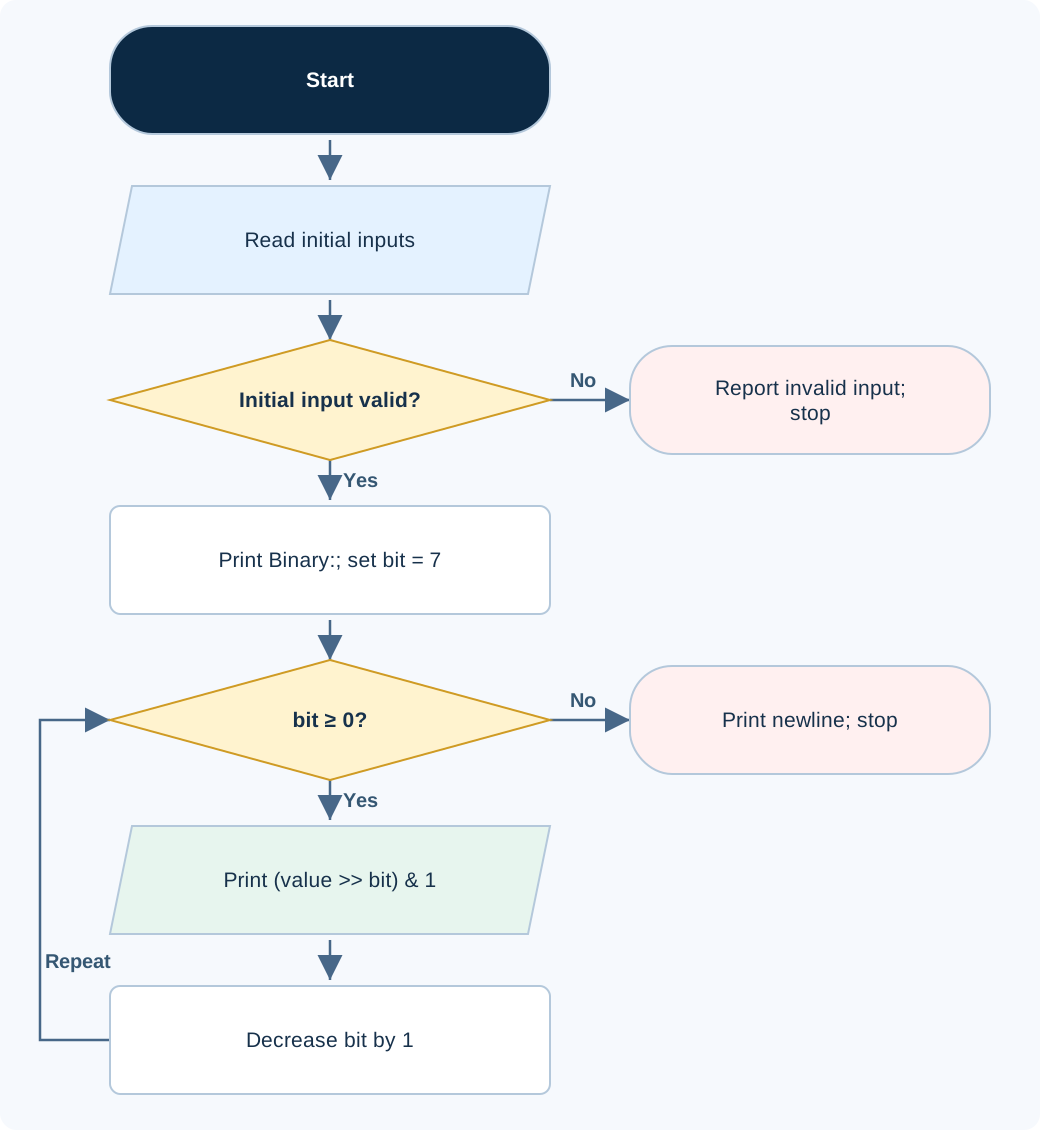
On a phone, scroll sideways to read the diagram at full size. Open full-size flowchart ↗
#include <stdio.h>

int main(void) {
    int value;
    if (scanf("%d", &value) != 1 || value < 0 || value > 255) {
        puts("Invalid input.");
        return 1;
    }
    printf("Binary: ");
    for (int bit = 7; bit >= 0; --bit)
        printf("%d", (value >> bit) & 1);
    putchar('\n');
    return 0;
}
Code loads into the existing compiler. Enter the sample input there; sign-in and execution rules stay the same.
Compile and run locally
gcc -std=c17 eight-bit-binary.c -o lab
./lab
On Windows, run .\lab.exe after compiling with GCC. The interest program requires the math library where applicable.
FOLLOW THE VALUES
Dry run
| Step / state | Operation | Result |
|---|---|---|
| 5 in decimal | 4 + 1 | 00000101 |
| Bit 2 | (5 >> 2) & 1 | 1 |
| Bit 0 | (5 >> 0) & 1 | 1 |
CHECK THE BEHAVIOR
Sample input & output
Each output below was produced by compiling and running this exact program. Input values are entered in the stated order; the examples do not print input prompts.
Sample 1
5
Binary: 00000101
Sample 2
0
Binary: 00000000
Sample 3
255
Binary: 11111111
Common mistakes
- Use bitwise & rather than logical && to extract a bit.
- Validate the range before representing the input as an eight-bit value.
WHY THIS GROWTH RATE?
Time and space complexity
Time O(1) for eight bits; auxiliary space O(1).
The loop always visits exactly eight bit positions, from 7 down to 0. It performs eight shifts, masks and outputs whether the input is 0, 5 or 255.
Because eight is fixed for the specified 0–255 range, time is O(1), and scalar variables use O(1) auxiliary space. A generalized program for a variable b-bit representation would instead take O(b) time.
Big-O describes how work grows as the stated input quantity grows; fixed factors and lower-order terms are omitted. The analysis treats fixed-width arithmetic as constant cost and the published limits as practical safety bounds.